Tag Archives: ubuntu

Ubuntu 11.04 Natty Narwhal with Unity UI

Ubuntu 1104 Natty NarwhalApril and October are the months where Canonical releases new versions of their OS Ubuntu. And that means it’s time for a new Ubuntu release now, with what may be a ground-breaking user interface and major changes from previous versions that come together nicely.

Ubuntu code named Natty Narwhal, or version 11.04 is here and sporting some radical changes from previous editions of the Linux distro. The most distinguished being the arrival of the Unity desktop environment, which was previously relegated to netbooks. It has integrated search, a combination of launcher and a taskbar, and app menus that have been moved to the top of the screen much like in Max OS X, effectively implementing the best ideas from Apple and Microsoft and a new design. Read more »

How To Clean Up The New Ubuntu Grub2 Boot Menu

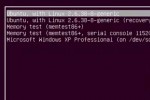
Clean Up And Modify he new Ubuntu Grub2 boot menu differs quite a bit from the previous version. As Ubuntu nominated the new version 2 of the Grub boot manager as of 9.10, removing of the old problematic menu.lst file.

Ubuntu Grub2 Boot Menu

Ubuntu Grub2 Boot Menu

Grub2 is a leap forward in many ways, and most of the annoyances from menu.lst are gone. Yet, if you don’t clean up old versions of kernel entries, the boot list can quickly get messy and end up in a long list of nonsense. Let’s assume we want to remove the 2.6.32-21-generic boot menu entries. Previously, this meant editing /boot/grub/menu.lst. But with Grub2, we use the package manager to remove the kernel package from our computer, Grub automatically removes those options. Btw. if only one operating system is installed on your computer, you may not see the boot menu at all and have to hold down the SHIFT button on your keyboard while booting up to get the menu to show.

To remove old kernel versions, open up Synaptic Package Manager, found in the System > Administration menu. When Synaptic opens up, type the kernel version that you want to remove into the Quick search text field. The first few numbers should suffice. Then for each of the entries associated with the outdated kernel (e.g. linux-headers-2.6.32-21 and linux-image-2.6.32-21-generic), right-click and choose “Mark for Complete Removal”, then hit “Apply”. These entries will be gone upon the next boot. Read more »

Ubuntu 10.10 pre-release preview with TestDrive

Once it gets closer to the official release date of a new version of Ubuntu, I frequently download the latest daily build from the repository and install a fresh version in a virtualized environment, so I can try out and test not only the new OS, but also any software that I am  developing or evaluate to run on Ubuntu.

Jorge Castro from Canonical recently introduced a nifty tool called TestDrive that simplifies the installation process by automatically downloading the ISO and configuring a VM. TestDrive is a command-line tool and it prompts you to select an  ISO image you want to test. It will then download the image, configure and launch a VM. A very neat feature is that TestDrive caches the ISO images and utilizes rsync to update only the items that have changed, this way you don’t have to download the entire ISO again just to test a new daily build.

TestDrive is pretty straight forward and easy to use. The primary goal is to provide a very simple method for allowing non-technical Ubuntu users to test and provide feedback on the current Ubuntu release under development. It supports both KVM and VirtualBox. You can configure your preferred virtualization software, the default ISO caching path, and the default memory configuration by editing the file /etc/testdriverc.

Installation is also straight forward, on Lucid simply call $ sudo apt-get install testdrive. Alternatively download and install it from the project’s PPA and don’t forget to visit its project page on Launchpad.

Add Medibuntu Repository for Ubuntu 9.04

Medibuntu is probably the most useful and popular non-included repository, as it contains a lot of codecs for viewing or creating audio and video files. It’s a must have repository for Ubuntu.

  • Acrobat Reader
  • Firmware for the ALSA sound system
  • Google Earth
  • DVD decryption
  • MPlayer / MEncoder
  • Non-free codecs and
  • Skype

and the list goes on. Two simple commands get you up and running:

sudo wget http://www.medibuntu.org/sources.list.d/jaunty.list –output-document=/etc/apt/sources.list.d/medibuntu.list
sudo apt-get update && sudo apt-get install medibuntu-keyring && sudo apt-get update

This adds the Medibuntu as a repository and updates the sources list. You can now install software like additional codecs, utilities and more like this:

sudo apt-get install non-free-codecs libdvdcss2

And you can always use Synaptic to install new software, of course. For a complete list, go here.

Dual Boot Ubuntu 9.04 and Vista

…with Windows Vista / Windows 7 installed first.

So you got a computer running Vista and like to dual boot between Vista and Ubuntu. The boot loader that ships with Vista can be a real pain. There are some nice utilities we can use to make that process a lot smoother for us. Here we go.

First you’ll need space for the Ubuntu installation. If you don’t already have a partition for it, right-click My Computer -> Manage -> Disk Management. Right-click on the main Vista partition and select Shrink Volume. The Shrink tool will assess how much space you can free up. (If you don’t have enough free space, Vista will not allow you to shrink it and the available space to shrink will be zero) You should have at least 12GB of free space for the new OS, if you don’t have that much it’s probably time for a new hard drive.

Read more »

Ubuntu 9.04 beta released

Over 4 years in the making of Canonical’s Operating System, Ubuntu 9.04 (jaunty jackalope) has released the first and final beta, after successful public testing of alpha 1 thru 6. I have to say, Ubuntu has come a long way. This version is the first one (for me at least), that installs without a hitch, and everything is working at first try.

The biggest pain was always to get the network working. Since one needs the Internet to research issues and find solutions, once connected everything seemed workable.

Read more »